
Household demand
Showers, baths and peak use determine the storage and recovery needed. Tank size alone does not establish how a system will serve a household.
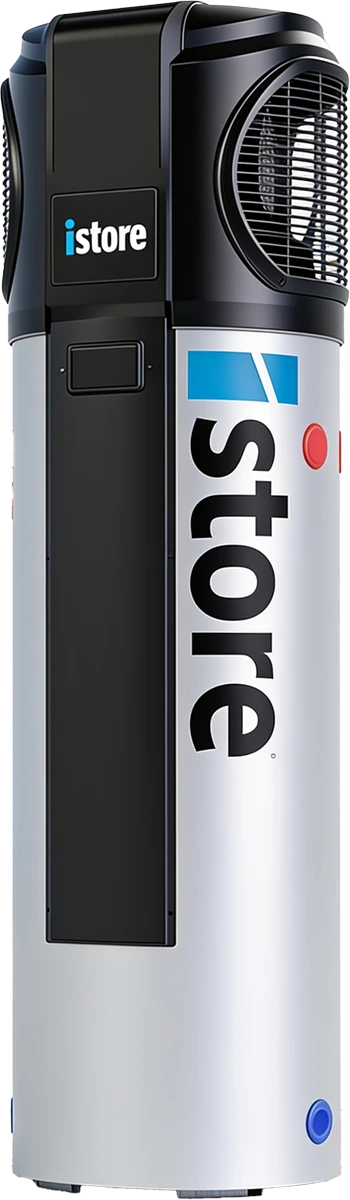
Heat pump hot water
All-in-one hot water with scheduled heating.
Current R290 range
The current iStore range includes 180 and 270 litre all-in-one heat pumps using R290 refrigerant. Timer controls can move water heating into a preferred period, subject to hot-water demand and the manufacturer’s operating requirements. Tank size and recovery should be selected together for your household.
Showers, baths and peak use determine the storage and recovery needed. Tank size alone does not establish how a system will serve a household.
Airflow, service clearances, water quality, drainage and outdoor sound all matter. Use the selected model’s installation manual.
Timer settings can shift heating toward suitable periods. Hot-water availability and the manufacturer’s temperature and hygiene controls must remain effective.
Product details
Current R290 range. For a product family, the exact model and configuration are confirmed in your quote. Figures below apply only to the model or configuration identified.
| Current range | 180 L / 270 L | Design | All-in-one heat pump |
|---|---|---|---|
| Refrigerant | R290 | Controls | Model-specific timer and smart-control features |
Manufacturer references checked 21 September 2026:
iStore 180L R290 heat pump — manufacturer product image; the range also includes a 270L model.
Warranty and support
iStore advertises a five-year comprehensive warranty for eligible systems. Check component coverage, registration, location and servicing conditions in the supplied warranty.
Check which components are covered, the warranty term and any registration, usage or servicing conditions.
Your quote should identify the installation work, commissioning, handover and support contacts.
Keep model and serial numbers, the invoice and the applicable Australian warranty. Manufacturer warranties sit alongside Australian Consumer Law rights.
Planning the system
Heat-pump performance depends on outdoor temperature, incoming water temperature and the operating mode. A laboratory COP is not a guaranteed annual saving.
Compare the existing fuel, tariff, usage and any gas-supply costs that would actually be avoided.
Check recovery at relevant temperatures and how any electric boost operates.
Consider daytime heating alongside other loads, while retaining enough hot water for later use.
Explore your wider home energy plan
Compare the options
These pages cover different models and product families. Compare exact quote specifications and installation scope before comparing prices.
| Brand or product | Range covered | What to confirm |
|---|---|---|
| Haier | Current monoblock and split ranges | Specify monoblock or split, the model number and the real storage volume. |
| iStore | Current R290 range | Use the current model’s refrigerant and warranty rather than an older generation’s data. |
| Reclaim | CO₂ split heat pump range | Confirm the heat pump, tank and controller as separate model selections. |
| AquaPlus | APAIO all-in-one range | Confirm the model code and current warranty document. |
Before choosing iStore
Ask for a complete quote
From consultation to installation
We assess the site and your goals, confirm a suitable configuration, and explain what is included before installation.
Review your usage, existing equipment, site conditions and priorities.
Confirm model numbers, compatibility, installation work and the complete quote.
Complete the agreed installation and commissioning, then explain the controls and support pathway.
Available times
Pick a time that works. We’ll assess whether iStore suits your home and confirm the model, installation scope and any applicable incentives.
Question 1 of 6