
Solar Export Limits in Victoria: Find Your Property’s Approved Settings
Find your Victorian solar export limit in the distributor approval and installed settings, then investigate unexpected output using the right records.
Find your Victorian solar export limit in the distributor approval and installed settings, then investigate unexpected output using the right records.

Your solar export limit comes from the electricity distributor's connection approval for your property. It is not established by the panel count, your retailer's feed-in tariff or the limit approved for a nearby home.
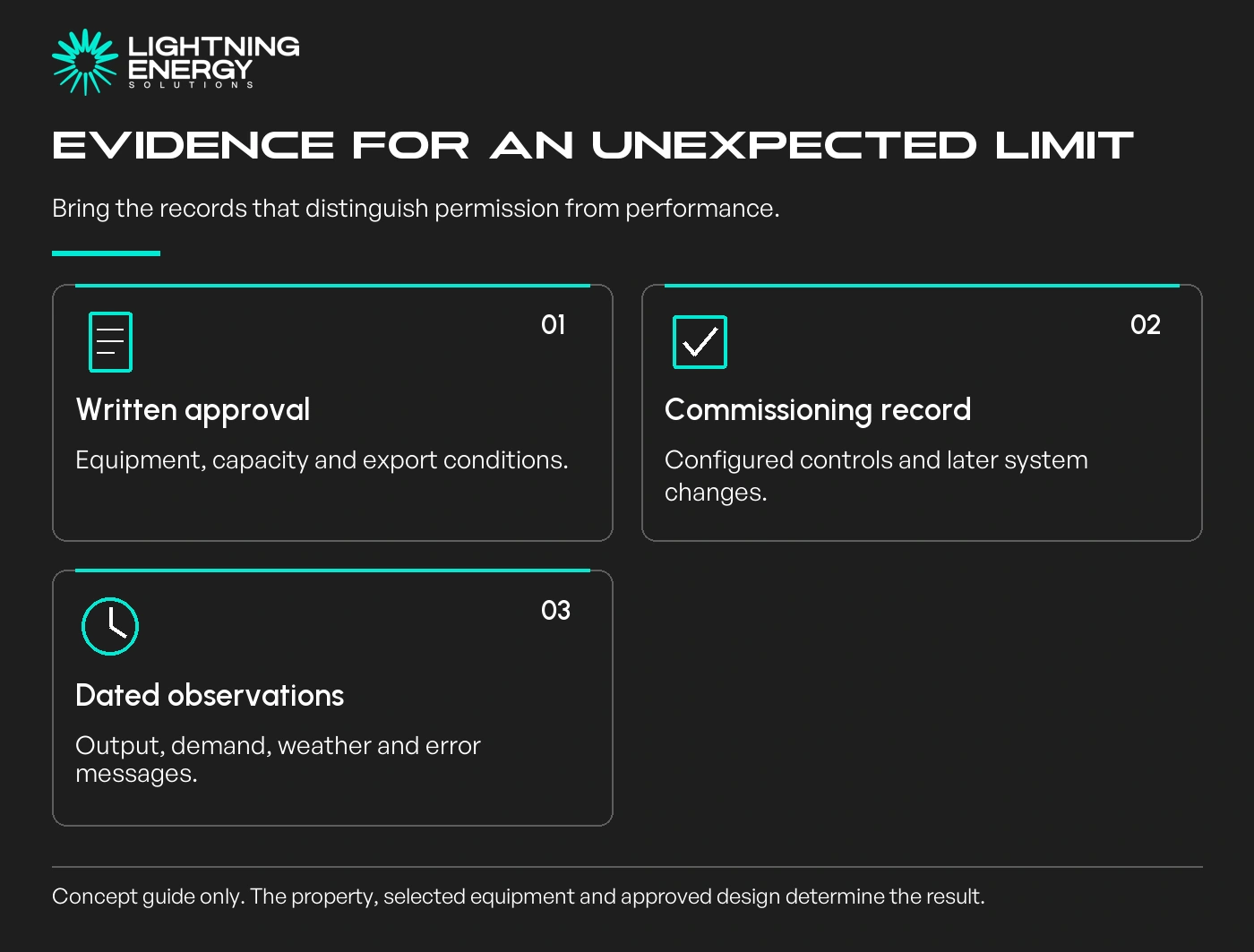
Find the written approval before comparing it with app data. If the design changed after the application, confirm that the installed equipment and final connection records still describe the same system.
Our solar service includes checking these constraints while the system can still be designed around them.
The retailer sells electricity and bills your account. The distributor operates the local network and assesses the generation connection. Changing retailer does not move your house onto a different distributor's wires.
Victoria has five electricity distributors. Use the government's distributor information and the details on your bill to identify the relevant one for your address.
Have the National Metering Identifier, address and any previous connection reference ready. These help identify the correct property without relying on a suburb-level assumption.
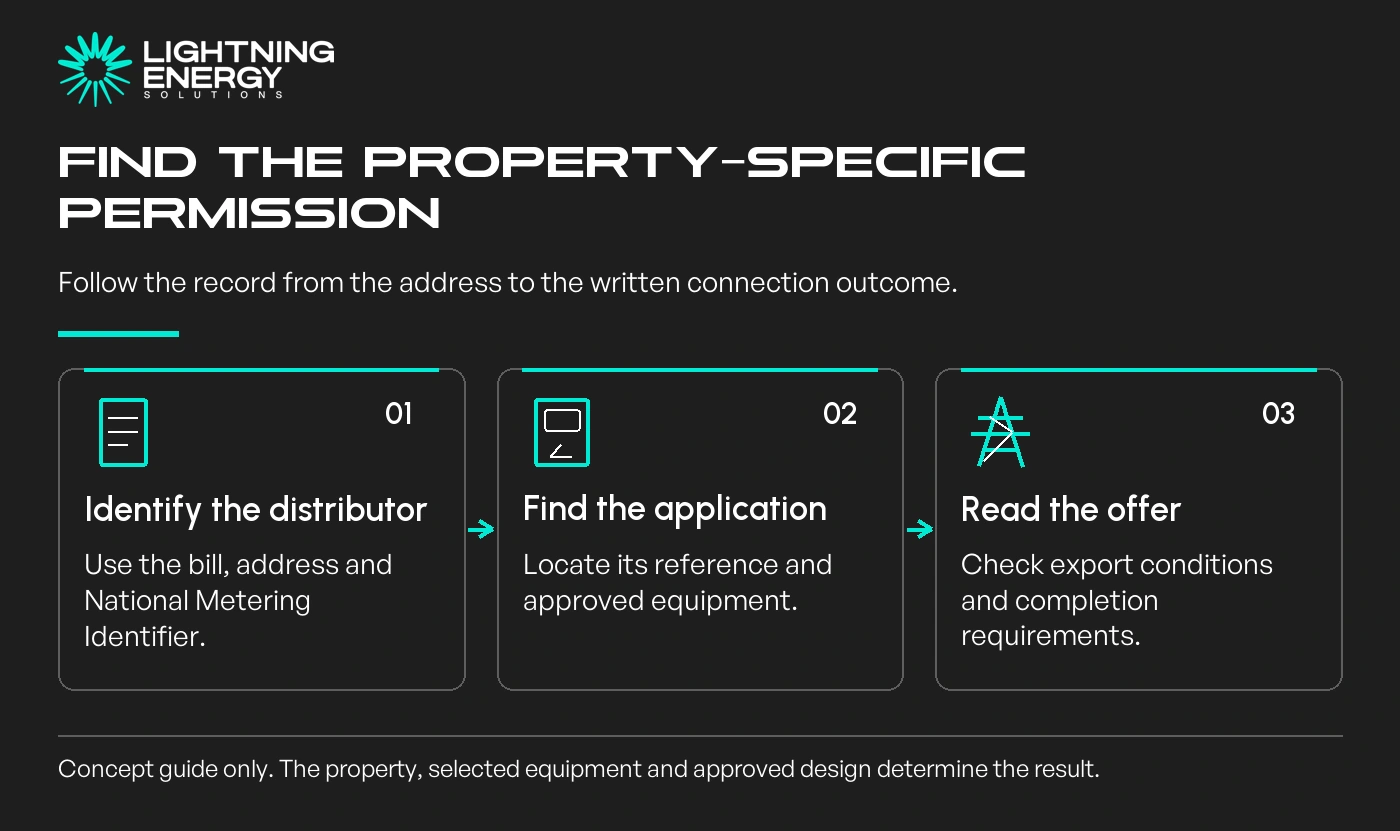
Look for the approved inverter capacity, export allowance, applicable phases, expiry or completion conditions and any required communications or control arrangements. Ask the installer to explain unfamiliar units or terms.
A zero-export approval is different from permission to export whenever production exceeds household demand. A flexible arrangement is different from a fixed allowance. Neither is a universal offer throughout Victoria.
United Energy's solar guidance explains that pre-approval establishes the export outcome before installation.
AusNet's connection process separates generation capacity and export. Local available capacity can change.
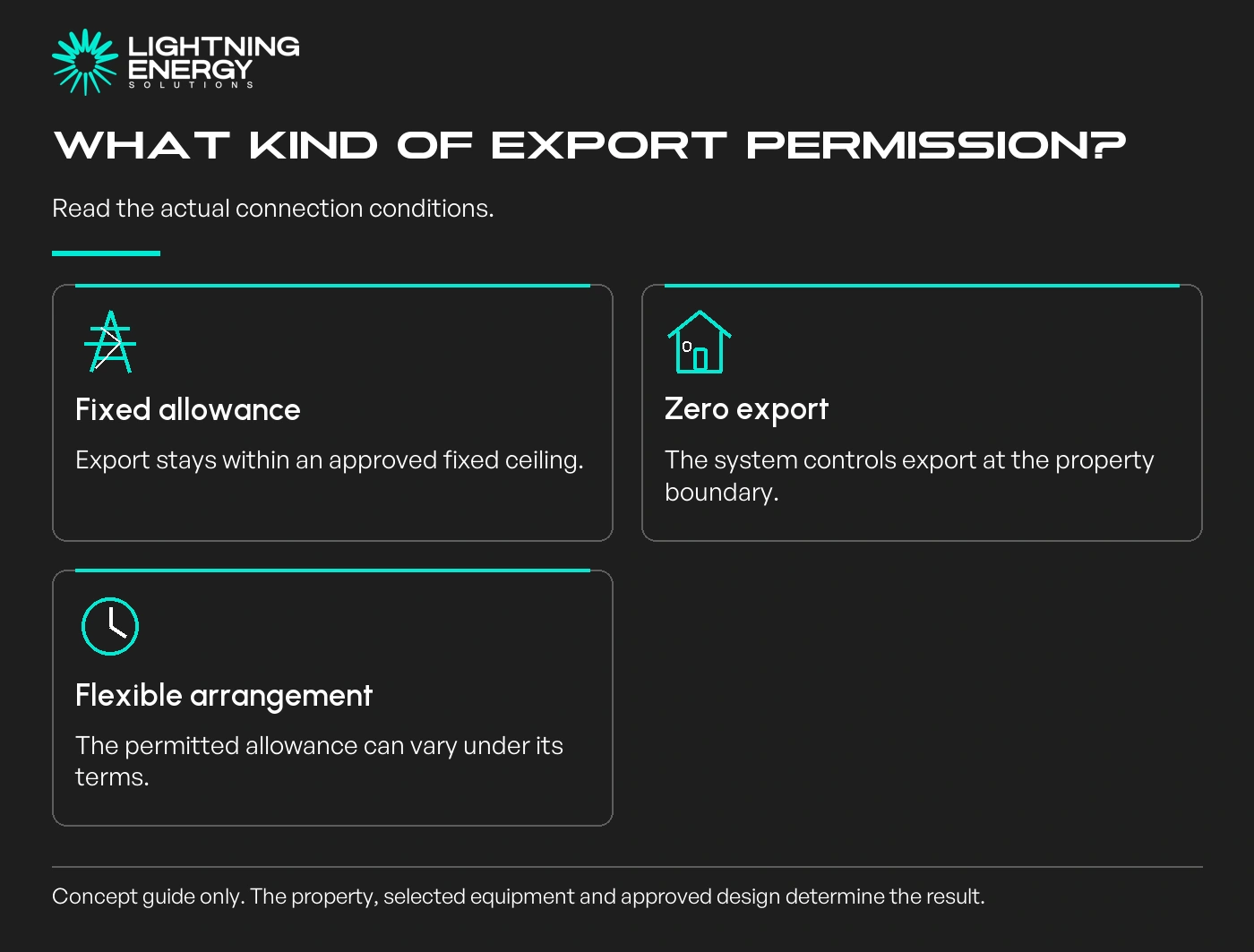
Keep panel DC capacity, inverter AC output and site export separate in your notes. A system can generate electricity for the home while exporting less than its inverter rating.
Our system-size comparison explains why selecting a useful array involves more than the export ceiling.
Ask for commissioning evidence showing that export control and required communications were configured. Where several inverters operate at the property, confirm how the approved site limit is managed across them.
The homeowner needs a plain explanation of the operating arrangement, not access to protected installer settings. Changing a limit yourself can undermine the approved design.
Do not assume an app field labelled export is the approved setting. It may instead show the measured power leaving the home at that moment, after household demand and battery charging.
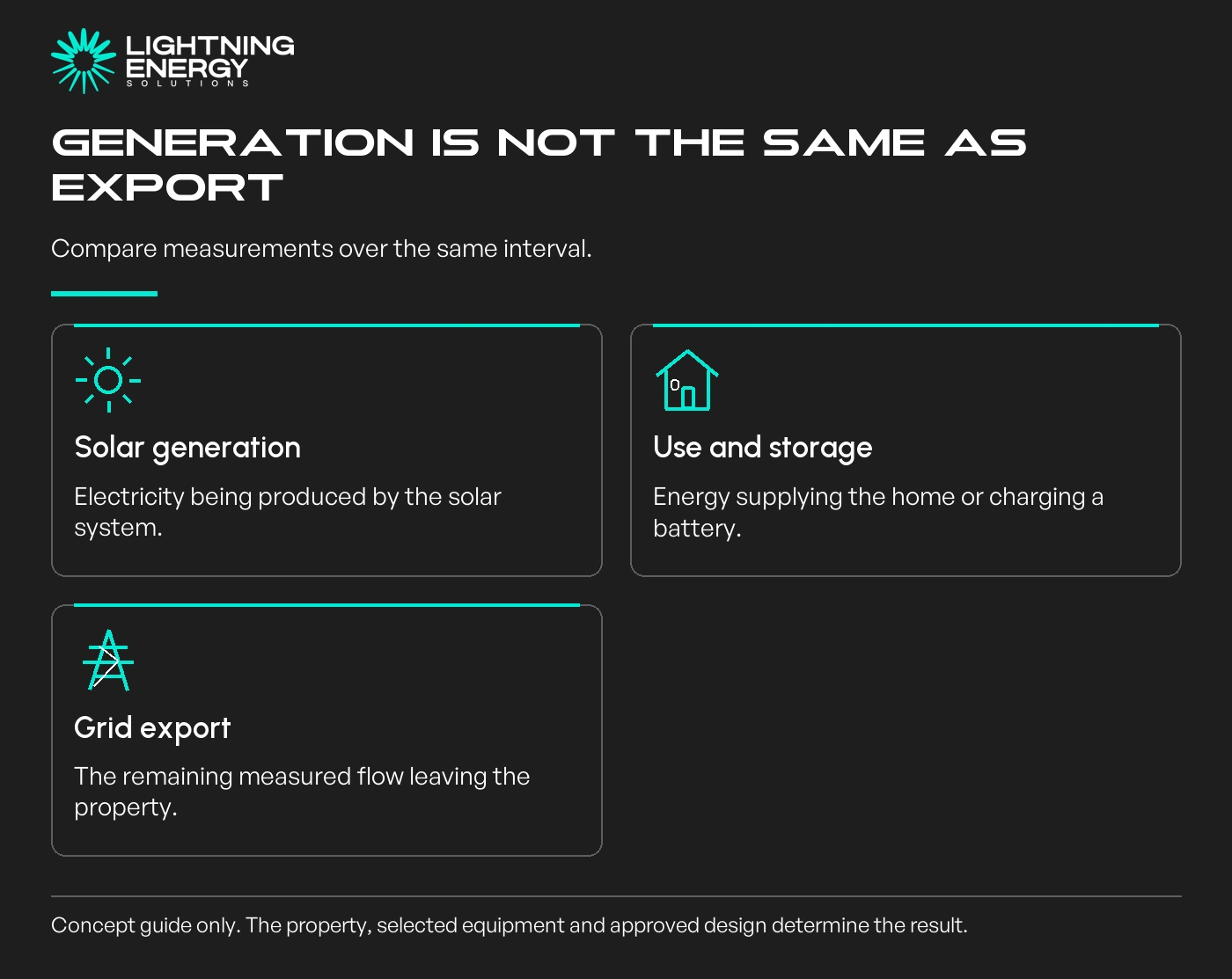
Imagine a sunny afternoon when generation rises but export remains low. Increased air-conditioning use or battery charging may explain it. Compare generation, household consumption and export over the same interval.
If monitoring does not measure all those flows, ask what additional evidence is available before deciding the inverter is being unnecessarily restricted.
Record the date, time, weather, app readings and any errors. Include the connection offer and details of later additions, such as another inverter or battery.
Equipment behaviour, network permission and billing are not always handled by the same business.
Jemena's contact guide explains the roles.
An unusually low output can have several causes, including weather, equipment faults, control settings or a communications problem. An export limit is one possible explanation, not a diagnosis for every flat trace.
If export is genuinely constrained, first model how much additional energy could be used at home. Our heat-pump timing guide gives one practical example without requiring storage.
Send us the approval and monitoring records for a design or performance review. Establish what was approved, what was installed and what was measured before paying for new equipment.
Available times
Book a consultation and we'll map solar, storage, hot water, and the rebates around your bills and your goals.
Question 1 of 6